
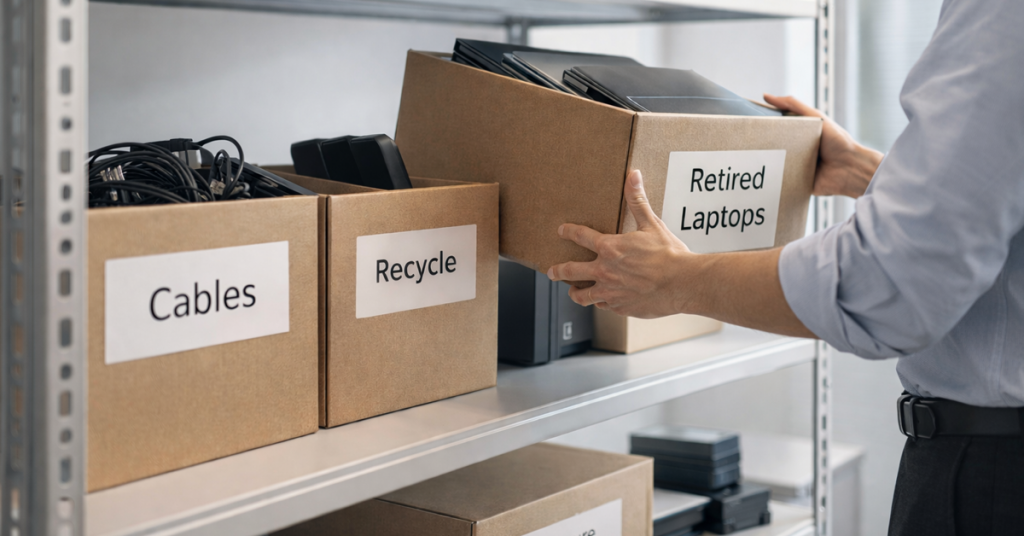
Spring cleaning usually starts with closets, but for most Vancouver businesses, the real clutter isn’t hanging on a rack.
Sure, some of it might be stacked on a server rack, but it could also be hidden in a storage room, shoved under a desk, or piled in a box labeled “we’ll deal with that later.”
Old laptops. Retired printers. Backup drives from three upgrades ago. Boxes of mystery cables nobody wants to throw away “just in case.”
Every business accumulates this stuff.
The real question isn’t whether you have it, it’s what’s the plan for what happens next?
Technology Has a Lifecycle. Not Just a Purchase Date
When you buy new equipment, there’s always a reason: it’s faster, more secure, more capable, or better suited for growth.
Most businesses carefully plan technology purchases.
But very few plan how they retire that same technology.
Equipment gets replaced. The old device gets tucked away. Eventually someone decides to “clean up,” and the cycle repeats.
Nothing unusual there.
What is unusual is treating the retirement of technology with the same strategy and intention as the purchase.
Old tech still carries value, recyclable components, and stored access or data. And if it’s just sitting around collecting dust, it can actually drag down operations, create clutter, or worse, introduce security risks.
Spring is the perfect time for Vancouver organizations to step back and ask:
What’s still supporting us and what’s just taking up space?
A Simple, Practical Framework to Clean Up Your Tech
If you want this to be more than a guilty “we should probably do that” conversation, here’s a clean four‑step method that works for any Vancouver business.
Step 1: Inventory
What are you actually retiring?
- Laptops
- Phones
- Printers
- Network equipment
- External drives
- Old servers
A simple walkthrough usually uncovers more forgotten hardware than expected.
Step 2: Decide the Destination
Every device should fall into one of three buckets:
- Reuse – internally or via donation
- Recycle – through certified e‑waste providers
- Destroy – when data sensitivity requires it
The key: make the decision intentionally, not by letting hardware drift into storage purgatory.
Step 3: Prepare the Device Properly
This is where discipline pays off.
For devices being reused or donated:
- Remove from device management systems
- Revoke user access
- Perform verified, certified data wiping
A quick delete or factory reset doesn’t actually erase data.
A Blancco study found 42% of resold drives on eBay still contained sensitive data, including tax files and passport scans, despite sellers claiming they were wiped.
A certified data erasure tool overwrites every sector and provides a proof‑of‑erasure report.
For devices being recycled:
Use a certified IT asset disposition (ITAD) provider or business e‑waste recycler.
Worth noting for Metro Vancouver organizations:
Best Buy’s popular recycling program is for households only, not businesses.
Look for e‑Stewards or R2 certified providers (searchable at e‑stewards.org and sustainableelectronics.org).
Your managed IT services provider can typically coordinate this for you.
For equipment being destroyed:
Use certified software wiping or physical destruction (professional shredding or degaussing).
Keep documentation such as the serial number, date, method, and who completed it.
This isn’t paranoia.
It’s simply closing the loop properly.
Step 4: Document and Move On
Once equipment leaves your building, you should know:
- where it went
- how it was handled
- that access was fully removed
Clear documentation prevents surprises later.
Devices Businesses Often Forget
Most companies remember laptops.
But other devices can slip through the cracks:
Phones and tablets
Still contain email, contacts, MFA apps, and stored data.
A certified mobile wipe is always safest.
Apple, Samsung, and others offer trade‑ins, even for older units.
Printers and copiers
Modern units often include internal storage that contains copies of every print, scan, fax, or copy.
If you’re returning a leased device, get written confirmation that the drive will be wiped or removed.
Batteries
Many types are considered hazardous waste. Some provinces, including BC, prohibit businesses from putting rechargeable batteries in the garbage.
Use certified drop‑off sites such as Call2Recycle, Staples, Home Depot, or Lowe’s.
External drives & servers
These often sit forgotten in closets. They’re not dangerous by default, but they need the same end‑of‑life treatment as everything else.
A Quick Word on Recycling
Earth Day reminders pop up every April and they’re good ones.
The world produces more than 62 million metric tons of e‑waste per year. Only 22% is properly recycled.
Handled correctly, retiring technology is:
- operationally clean
- environmentally responsible
- security‑conscious
- great for social media (without making it look like a sales pitch)
The Bigger Opportunity
Spring cleaning isn’t about getting rid of things, it’s about making space.
Yes, clearing out old hardware matters. But it’s also the perfect moment to ask:
Is our technology supporting how we actually want to run our business?
Hardware comes and goes.
But software, systems, automation, and process design, those are what drive today’s productivity, efficiency, and profitability.
Retiring old equipment is good housekeeping.
Making sure the rest of your technology aligns with your business goals is what keeps you moving forward.
Where Comwell Systems Group Comes In
If you already have a clean, predictable process for retiring equipment, great. That’s exactly how it should feel.
But while you're replacing old hardware the right way, it’s also a good time to step back and review the big picture:
- Are your systems streamlined?
- Are your tools working together?
- Is your technology helping you grow or just keeping the lights on?
If you’d like a practical conversation about how your tech stack, processes, and IT support can better serve your business, we’re here for it.
No checklists.
No pressure.
Just clarity.
Call us at 604-303-8600 or book a discovery call.
And if this sparked something for another Vancouver business owner, feel free to pass it along.
Spring cleaning shouldn’t stop at closets.
It should include the systems that keep your business running.